
Free up space on your Mac, safely
Sweep finds the caches, logs, temporary files and app leftovers that pile up on your Mac over time. It shows you exactly what it found, and removes only what you pick.
Download Sweep for macOS · Version 0.3.0 · Requires macOS 26 or later · Signed and notarized by Apple
Beta: Sweep is still in beta. It is built to be careful, but you may run into bugs or rough edges. Keep a current Time Machine backup, and leave cleaned files in the Trash or Sweep's holding folder until you're sure you don't need them. Feedback is very welcome: email support@digico.com.mt or use our contact form.
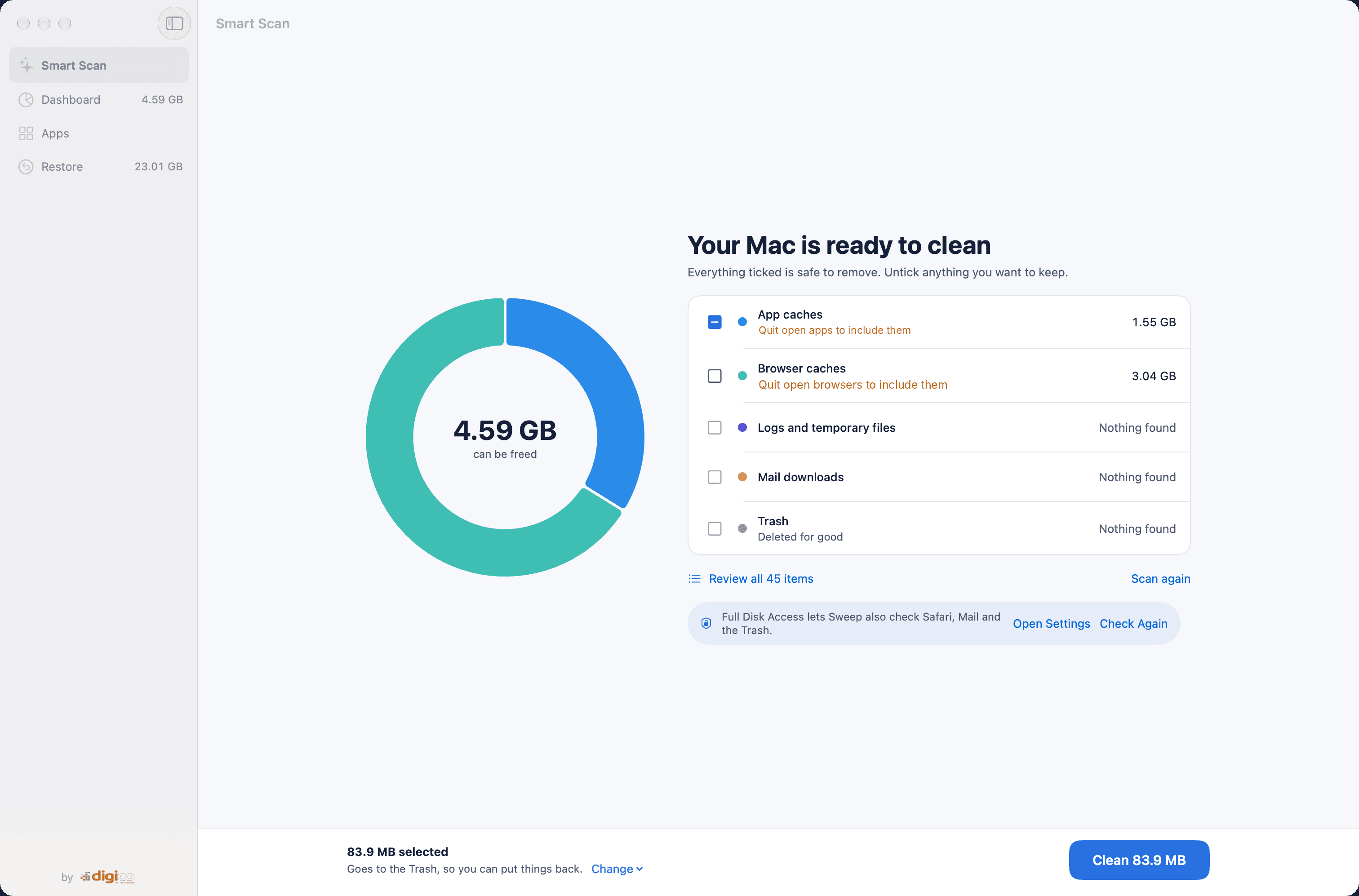
Smart Scan, one click
One scan checks app and browser caches, old logs and crash reports, temporary files, old iPhone and iPad updates and more. Safe items are selected for you, so you review the list and clean.
Safe by design
Sweep only touches locations on its own allowlist, checks every item twice, and never goes near your keychains, Mail, Messages, Photos, iCloud Drive or backups. Every removal is logged.
You decide where files go
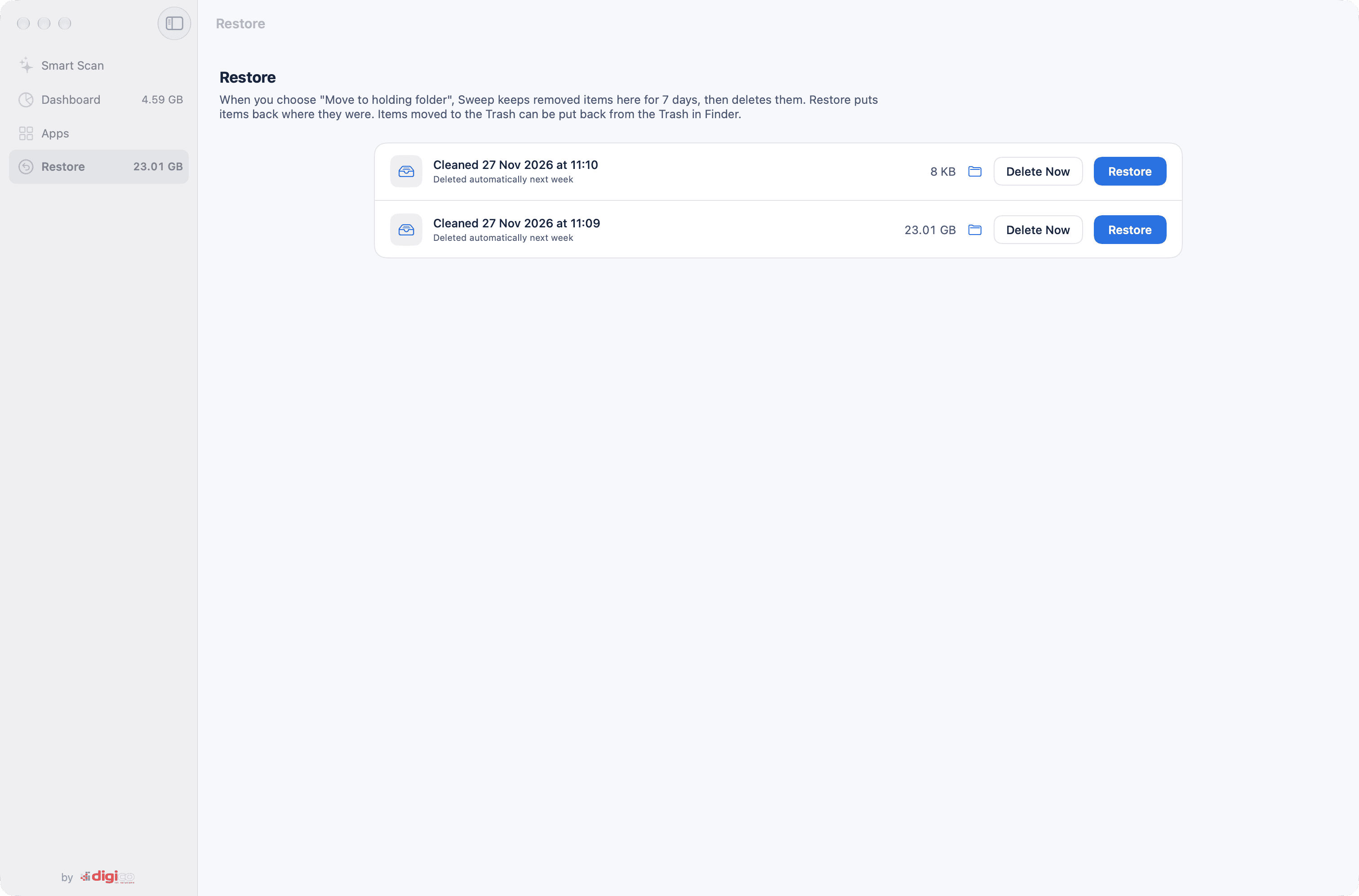
Send cleaned files to the Trash, to a holding folder you can restore from, or delete them permanently.
A real uninstaller
Remove an app together with the support files, caches and preferences it leaves in your Library, and find leftovers from apps you've already deleted.
- Smart Scan one-click cleanup
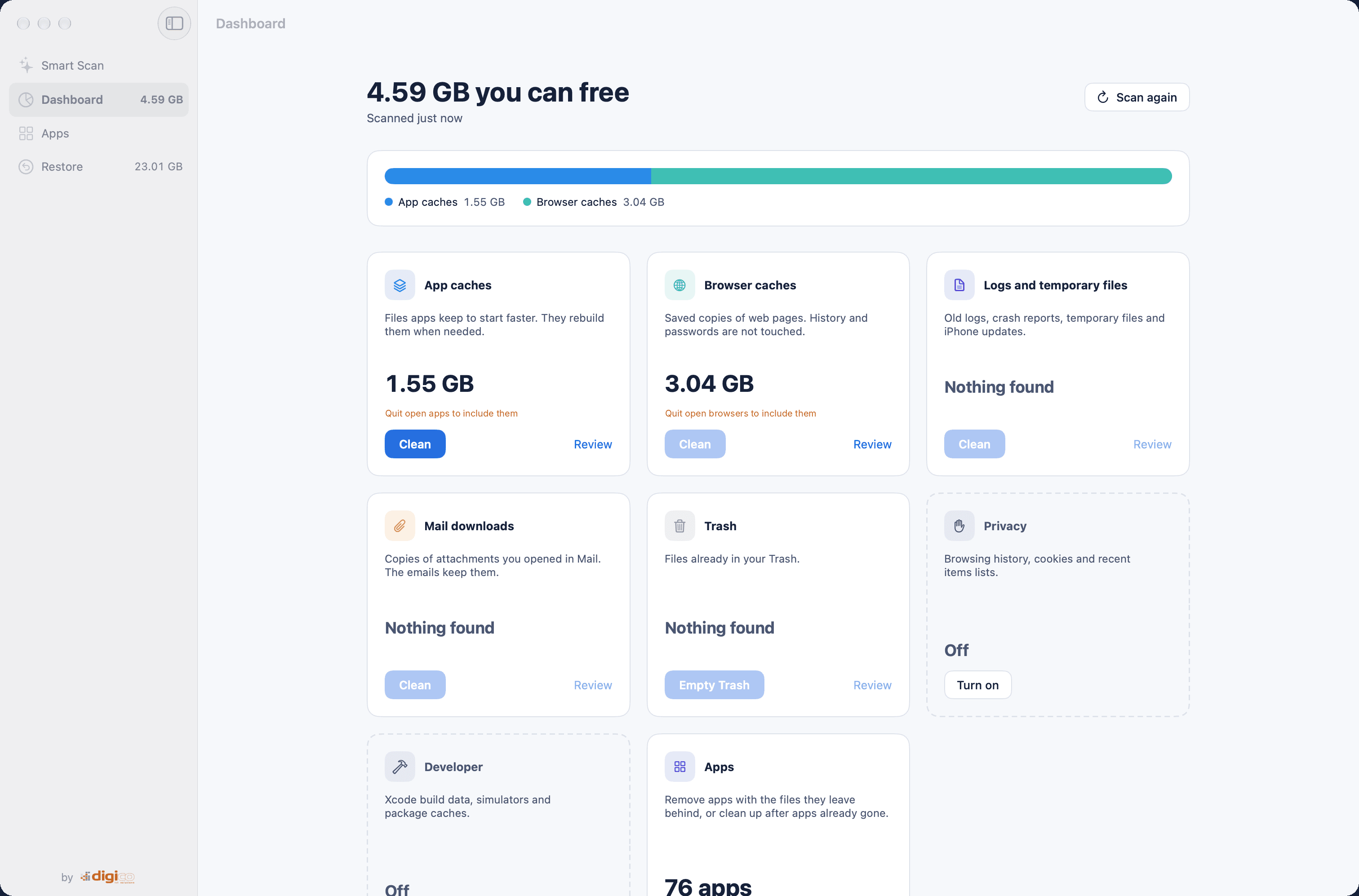
- Storage dashboard showing what is using your disk
- App uninstaller with leftover finder
- Restore from the holding folder
- Optional privacy cleanup: browsing history, cookies and recent items (off until you turn it on)
- Developer cleanup behind an Advanced switch: Xcode DerivedData, simulator caches, Homebrew, npm, pip, CocoaPods, Gradle, Cargo and more
- Skips caches of apps that are open
- Works without Full Disk Access; grant it to also clean Safari data and other apps' containers
Sweep is made by digico. Found a bug or have an idea? Email support@digico.com.mt or use our contact form.
Start a project
Nothing is impossible when you work with a team you can trust. Tell us what you need and we'll find the solution.